What is the Allonia platform ?
According to several studies, most enterprise’s data science projects "never make it to production". There are several reasons for this, and the Allonia Platform has been designed to tackles the main pain points that data teams face when creating, deploying & maintaining AI applications in order to make the industrialization of an AI stack easier.
"Fast Track to AI" is the slogan and the purpose of Allonia
Allonia Platform is a fully integrated, off the shelf software solution that helps data team all along the data valorisation pipeline:
-
Data Ingestion
-
Data preparation
-
Model Training
-
Model engineering
-
MLOps services (model deployment, pipelines, monitoring)
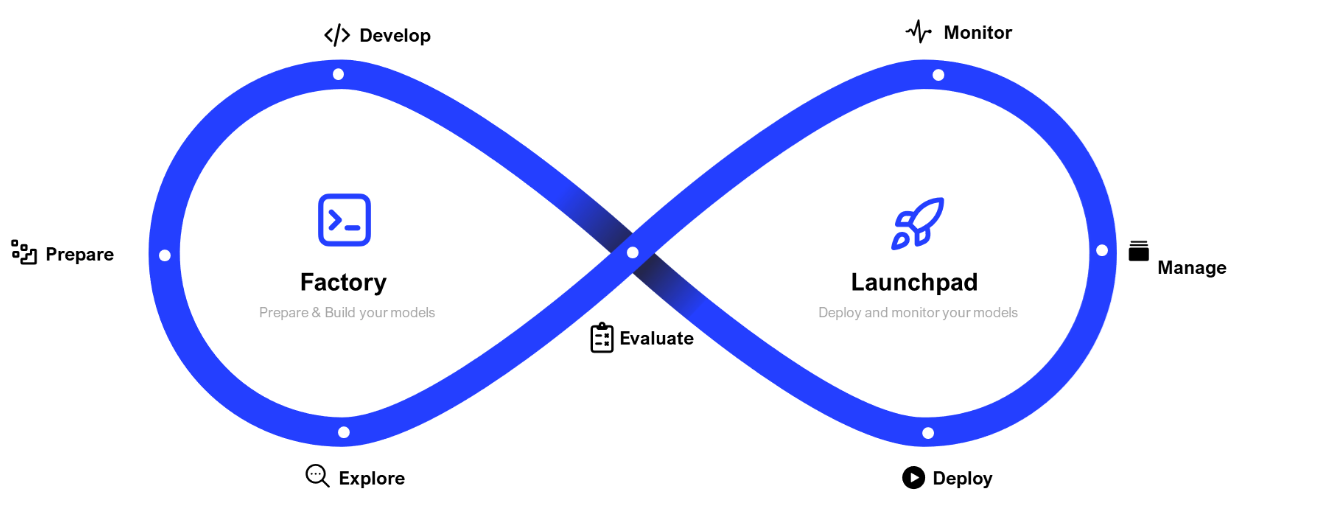
Allonia platform key principles are based on this lifecycle and our breadcrumb trail is organized in accordingly:

Details about the sections:
-
 : Section that will let you manage all activites related to project development
-
 : Section that will let you manage the Data of your project. You can check for further details in related section here.
 -
 : Section that will let you manage the Notebooks that will be the core development of your project. You can check for further details in related section here.
 -
 : Section that will let you manage all Models created or imported in your project. You can check for further details in related section here.
 -
 : Section that will let you manage all Modules (that consist of reusable Python code you can import for notebooks and pipelines) of your project. You can check for further details in related section here.
 -
 : Section that will let you manage all Pipelines (that consist of a description of multiple data or processing tasks) of your project. You can check for further details in related section here.
 -
 : Section that will let you manage all Python libraries that need to be set up by default for you project. You can check for further details in related section here.
-
-
 : Section that will let you manage all activites related to project deployment and monitoring
-
 : Section that will let you manage and monitor all Jobs instances (as Pipelines execution) of your project. You can check for further details in related section here.
 -
 : Section that will let you manage and monitor all Services instances (as Real-Time serving) of your project. You can check for further details in related section here.
-
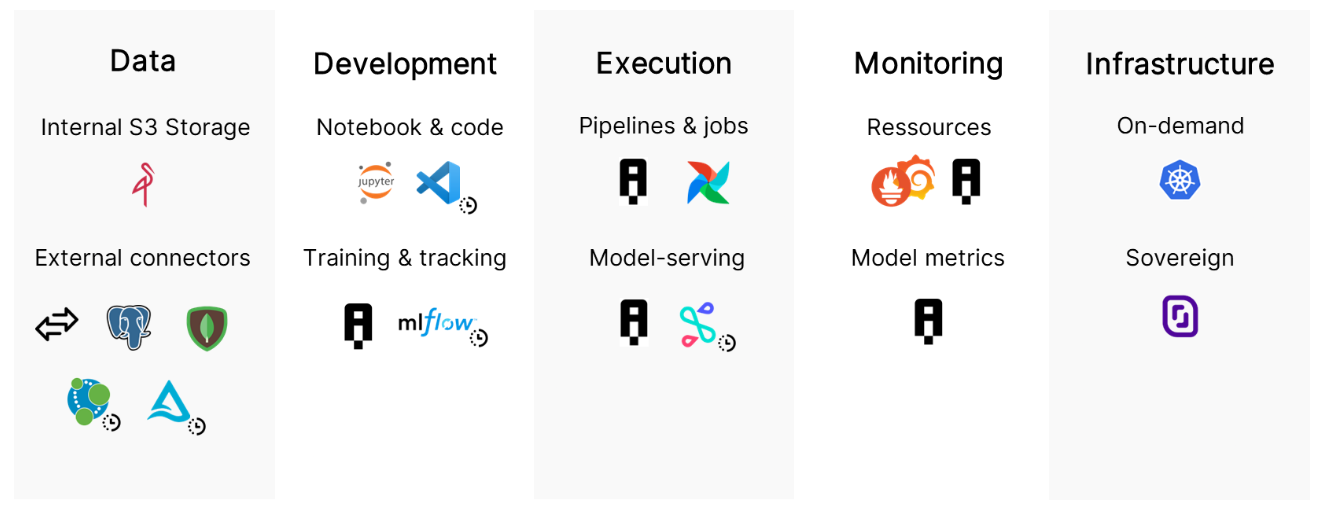
Useful informations
|
|