Project and track management
Project Management on the Allonia platform works with two levels called Project and Tracks. As the Project is the top layer workspace, the Track let you manage more specialized sub layer of your project (as for a specific feature or technical environment for example).
Several tracks can be included in one project. Depending on your needs, you will be able to assign different roles to users on different tracks.
Projects
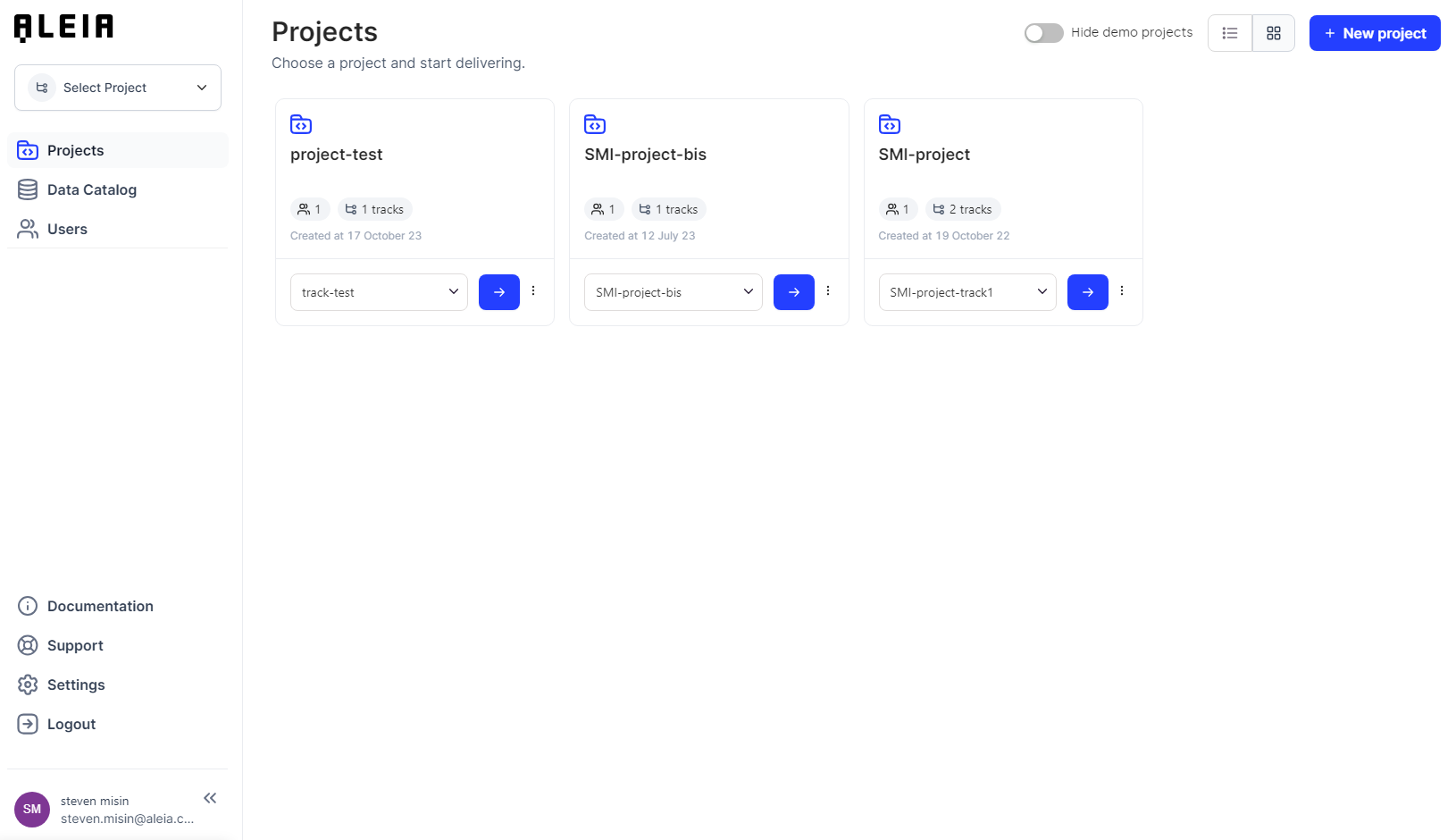
Create a new project
-
Click Project Manager → Create new project.
-
The project creator will automatically and by default have the role of the project manager.
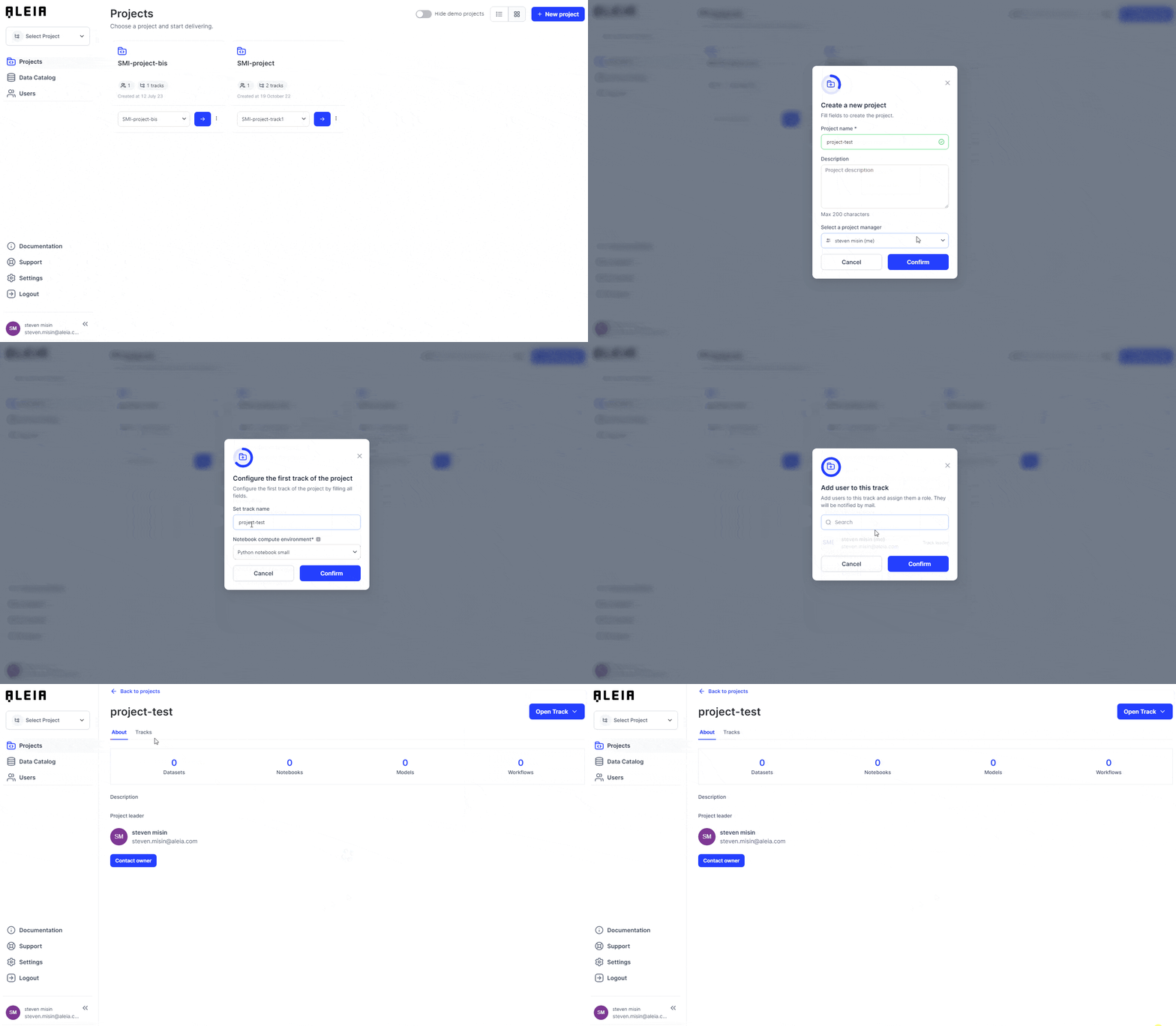
When creating a new project, a first track by default is automatically created and the project creator is automatically redirected to the configuration form of this first track.
The project creator must configure the first track created by default by specifying the following informations:
-
Track name
-
Compute configuration
-
Notebook compute environment type
When creating the project, the creator has the possibility to add users to the track by default and assign them one of the following roles: Track leader, data scientist or data engineer
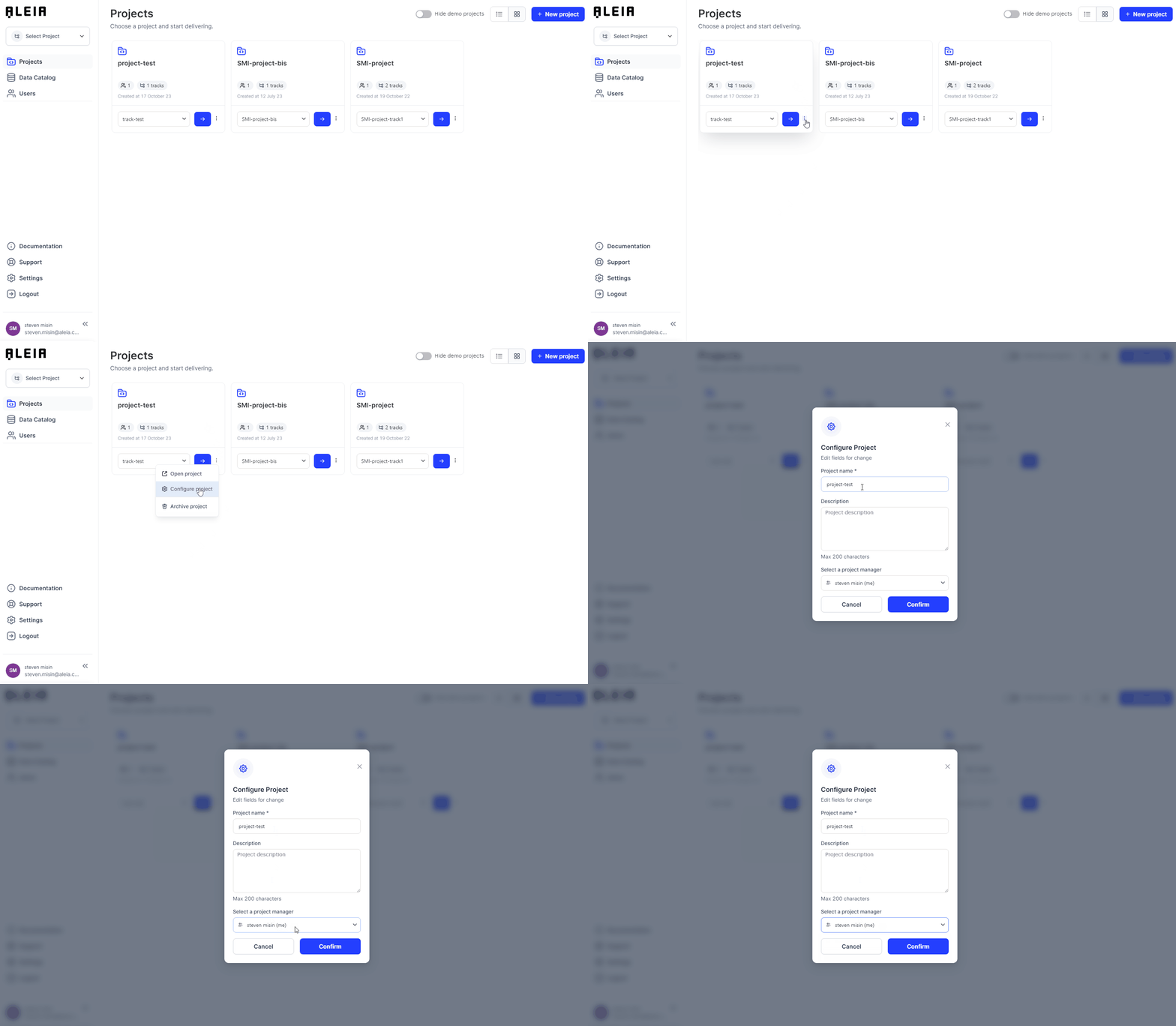
Archive a project
If your team has completed a project, you can archive it so that it does not remain in place if it is no longer needed. An archived project will no longer appear in Allonia, but you can continue to view archived issues in read-only mode, through direct links or mentions in other projects.
Tracks
Allonia track is a sub-entity of the project used to organize the project in several steps and customize each step with adequate resources in users/roles and resources.
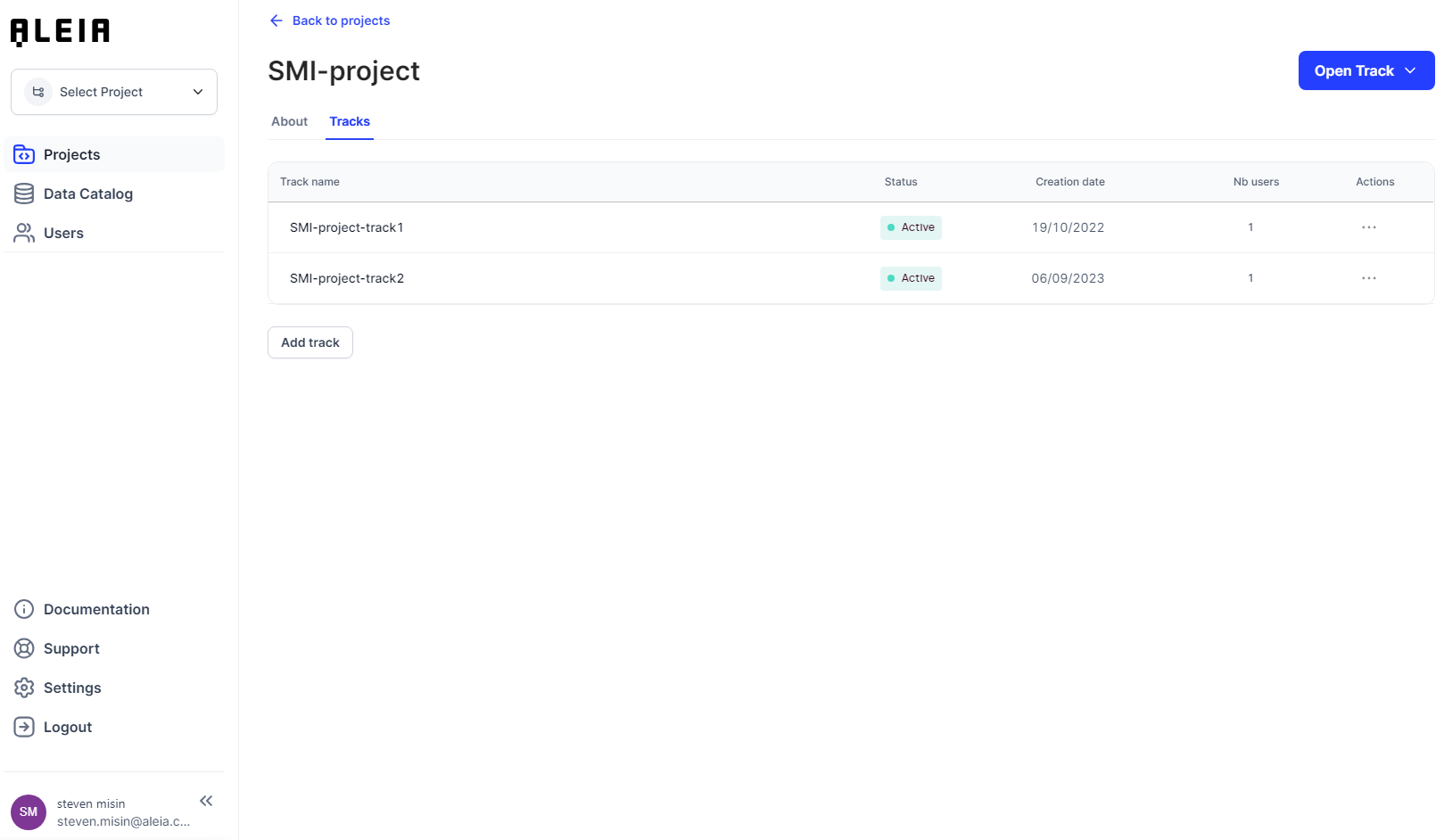
Create a track
-
Click Project name → Create a new track.
-
Choose the Track name
-
Choose Compute configuration
-
Choose Notebook compute environment type
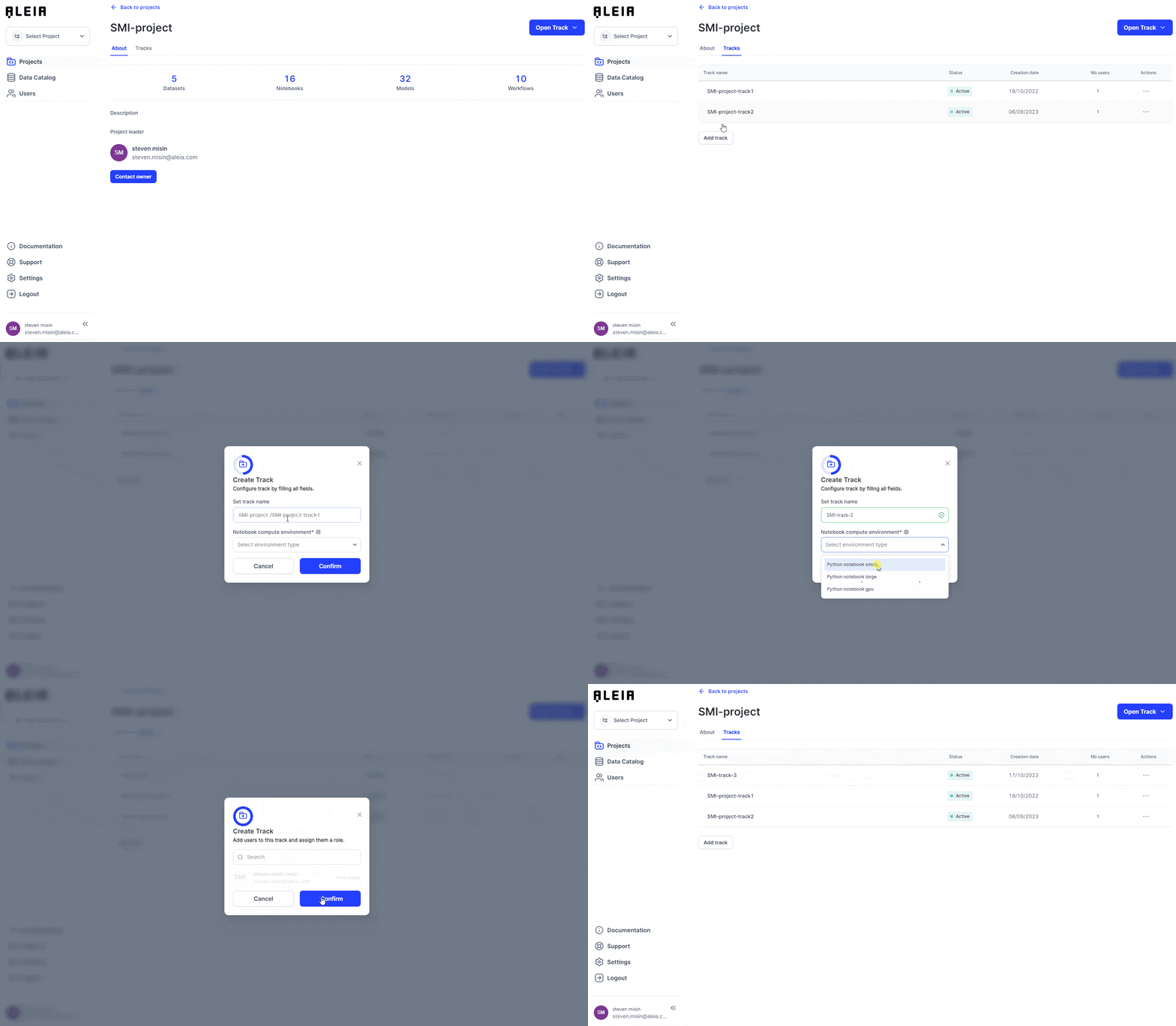
When creating the track, the creator has the possibility to add users to the track and assign them one of the following roles: Track leader, data scientist or data engineer.
Manage track users
User can only be managed at track level, before that, any user have to be added by the organization administrator inside the organization.
-
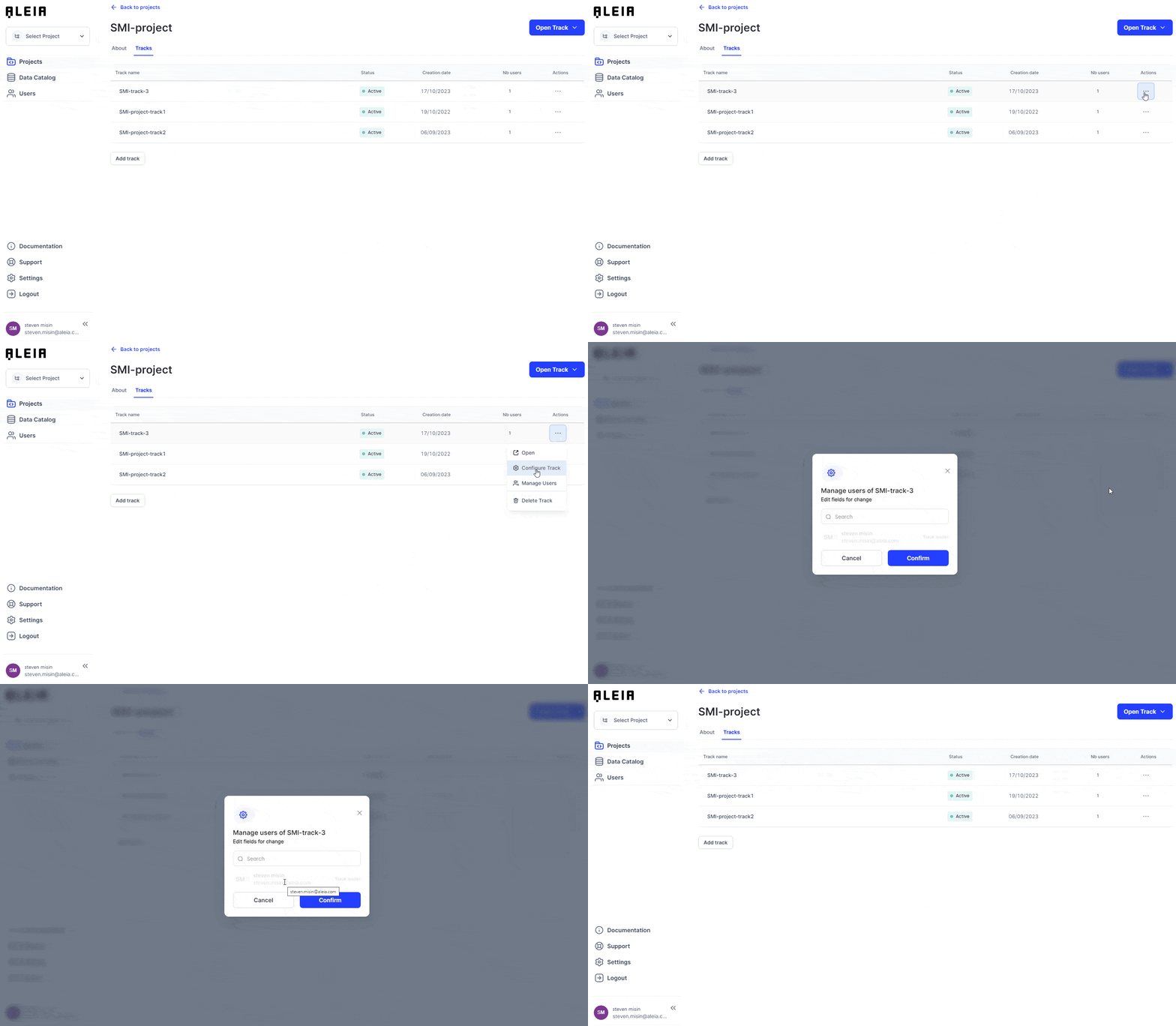
Project management → Click the target project→ List of tracks.
-
Click “Actions” of the target track
-
Click Manage Users
-
Add the new user from the user list and assign him a role
Roles
Roles responsibilities
| Role | Description |
|---|---|
Tenant Admin |
Is added by the Client during account creation Manages the client account: Billing, Data governance, Licences and Users |
Project Manager |
Is added by Admin during project creation (by default himself) Manages the Project: Tracks, Role-Users, Resources, Costs |
Track Leader |
Is added by Project Manager during Track creation (by default himself) Manages the Track: Data access rights, users, publications… |
Data scientist / Data Engineer |
Is added by Project manager or the track leader Contribute to Track objectives by performing tasks: improve a Dataset, Model or Pipeline |
ML Ops |
Is added by Project manager or the track leader Contribute to Track objectives by performing tasks: deploy and manage jobs, user-services a Dataset |
Roles actions
| Action | Tenant Admin | Project manager | Track leader | Data scientist / Data engineer | ML Ops |
|---|---|---|---|---|---|
Create project |
Yes |
No |
No |
No |
No |
Add new track |
Yes |
Yes |
No |
No |
No |
Add user |
Yes |
No |
No |
No |
No |
Edit user |
Yes |
No |
No |
No |
No |
Manager user roles in project |
Yes |
Yes |
No |
No |
No |
Manager user roles in a track |
Yes |
Yes |
Yes |
No |
No |