Python package management
The python package management system enables the user to manage the libraries available by default for notebooks, jobs, & user-services into the track.
|
Please note that it will only impact the current track. If you need to put in production in another track you also need to set the required libraries. |
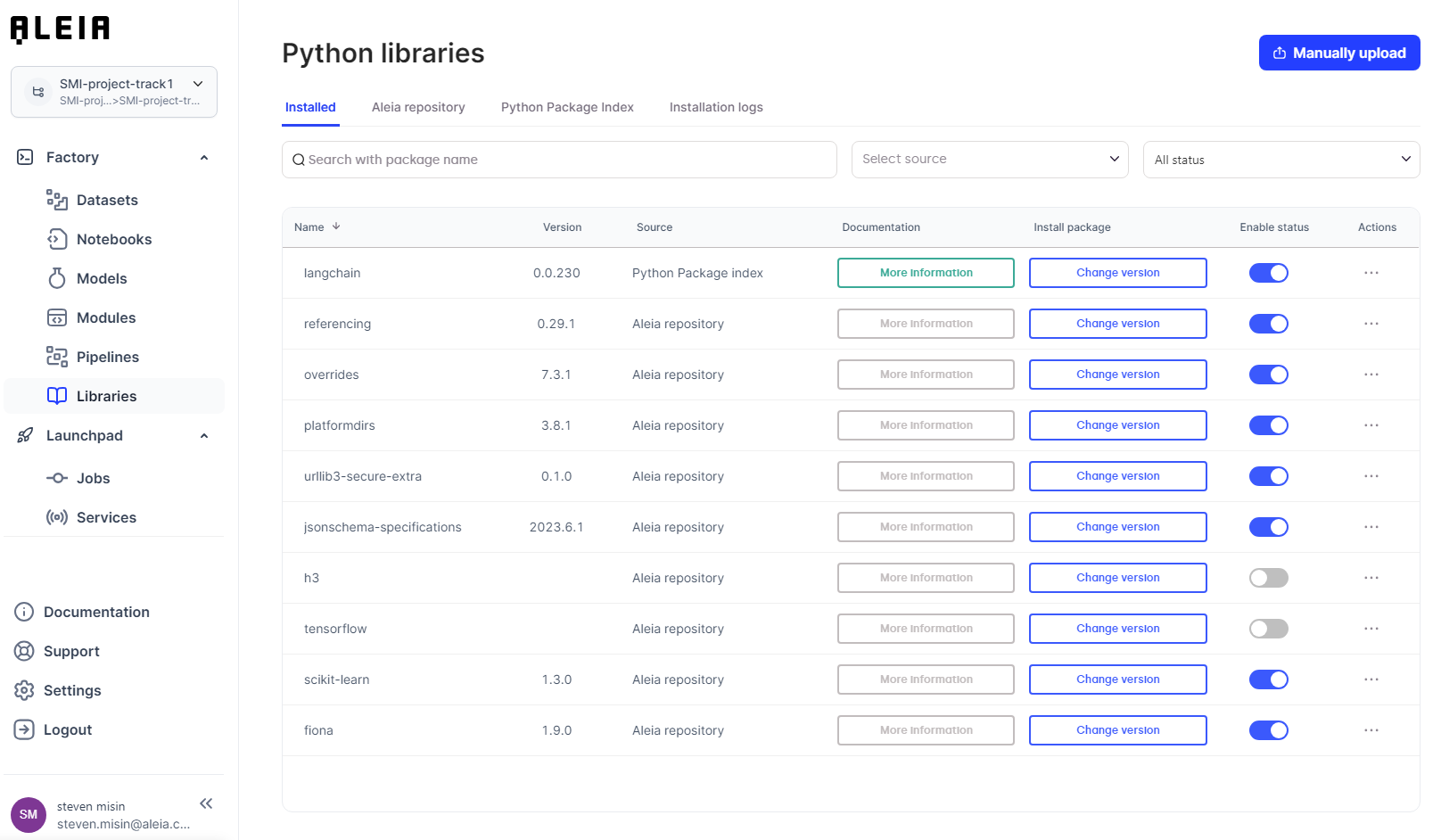
You have three ways to push your favorite library in the JPlab environment:
-
Through a manual Upload : For custom package not available on official repositories
-
Through the Allonia Repository : For packages tested & approved by Allonia, and Allonia partners' packages
-
Through PyPI : For any other packages available on the official repository
Manual upload
In this configuration you might have created a .whl package file with your custom made code, or downloaded the package file from another repository. The supported package formats are: whl, tar.gz, bz2 and zip.
Simply click on the "manually upload" button on the top right and select your file in the file system.
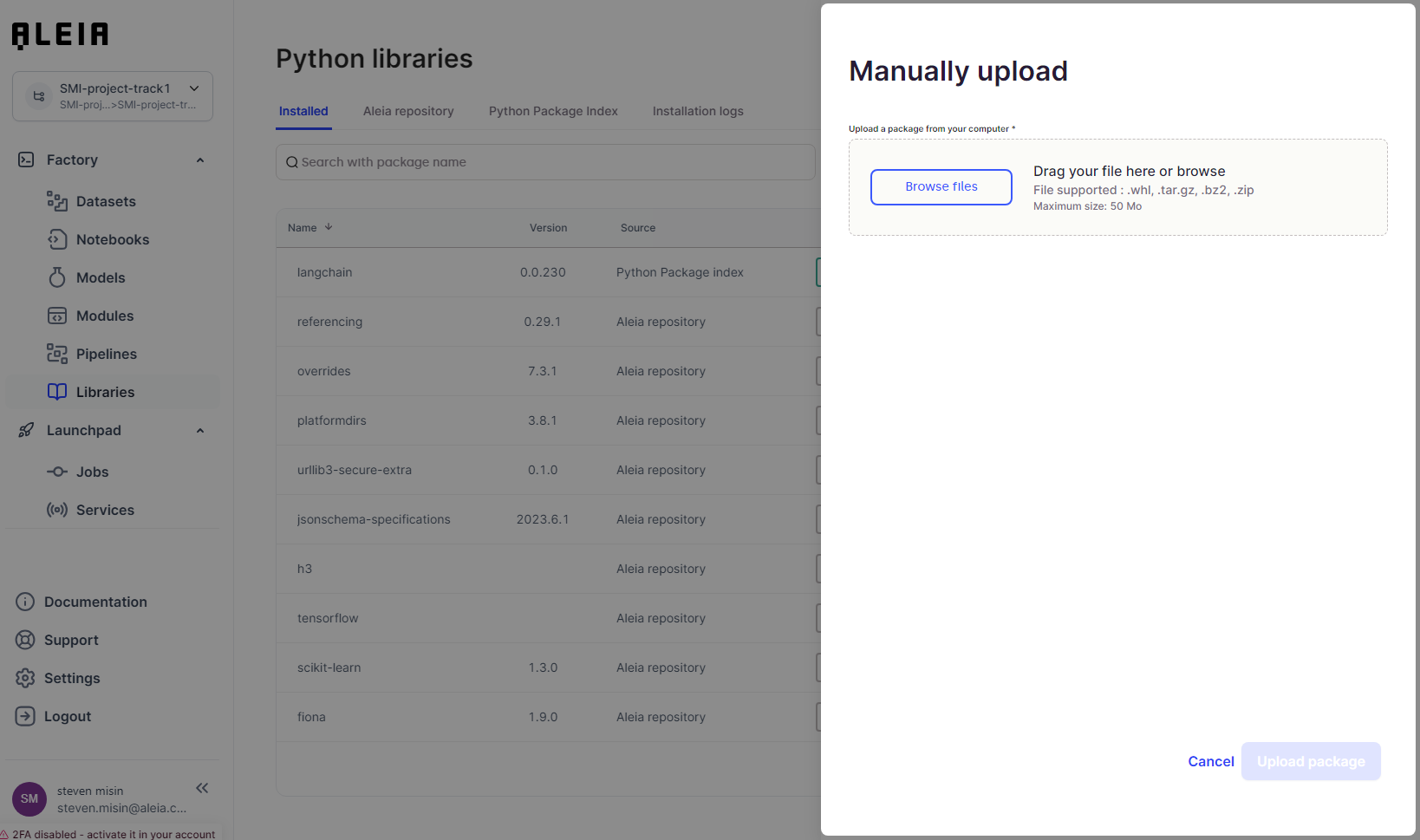
The file will appear in the "installed" section.
Allonia Repository
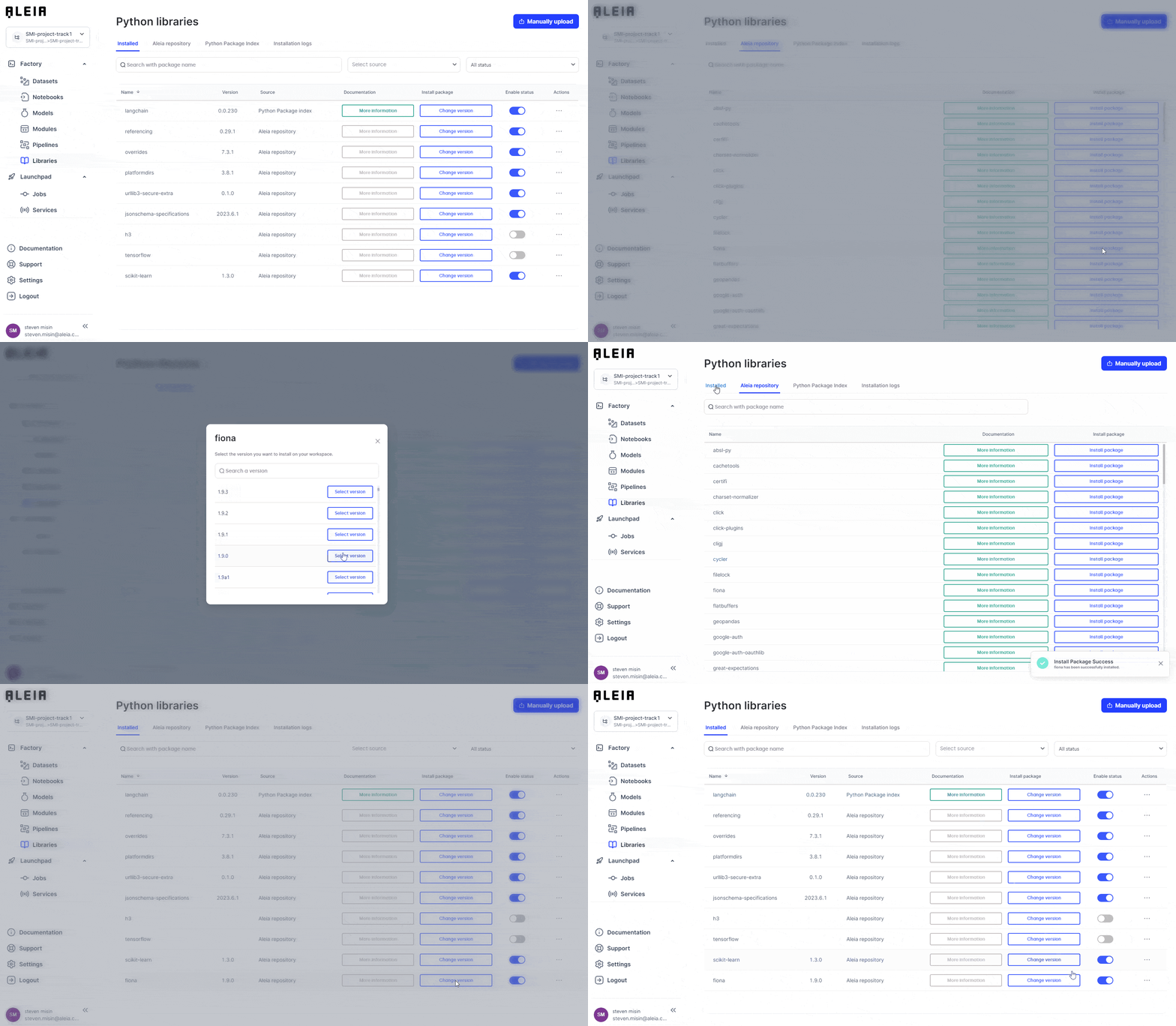
You can search for an Allonia approved package from the "Allonia repository" panel. Click on "install package" and choose a version from the displayed list.
This will set the library into default requirements for any notebook, job, user-service that will be instanciated into the current track.
PyPi
You can search for any packages available on the official PyPi repository from the "Python Package Index" panel. Type the wanted package name into the search bar and choose a version from the displayed list.
This will set the library into default requirements for any notebook, job, user-service that will be instanciated into the current track.

Installation Logs
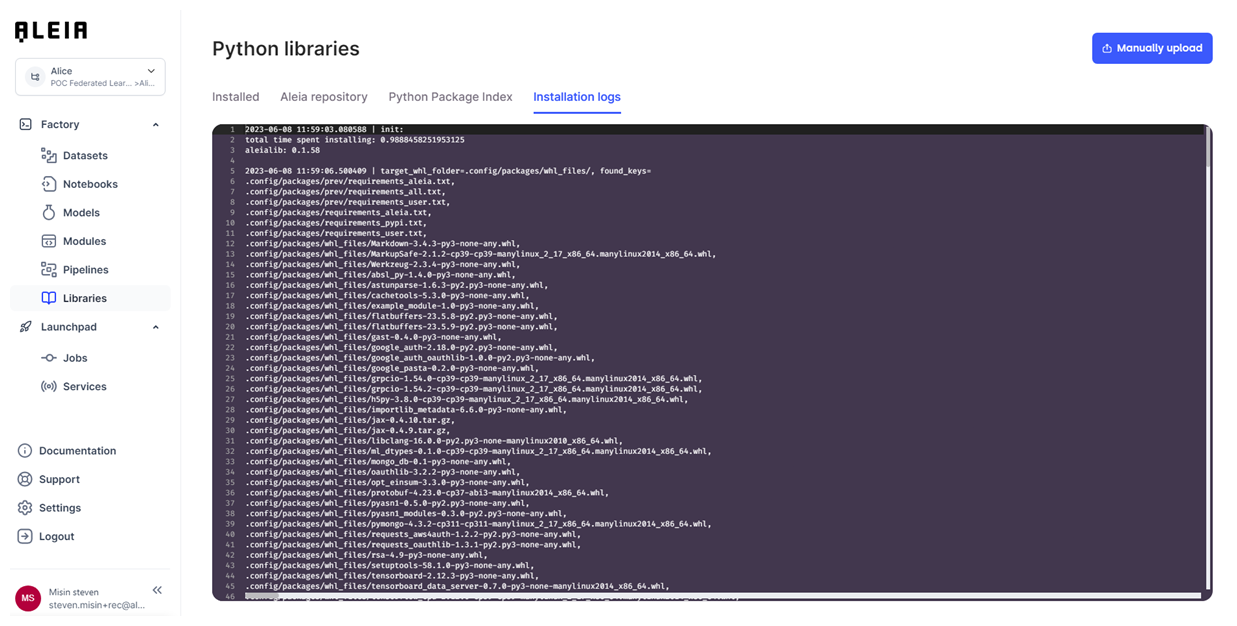
The installation logs are made available for users that are familiar with the python package installation processus and possible package dependancie issues.
In case of incompatibilities, you will be able to detect them through this panel and to deinstall/disable related packages or select other versions.
Runtime built-in python packages
The Python runtime environment comes with the following built-in Python packages:
# Specifying the python version we run on
python = "3.9.*"

# fix aiobotocore bug https://github.com/iterative/dvc/issues/7053
s3fs = "2021.11.0"
botocore = "1.20.106"
aiobotocore = "1.4.2"
boto3 = "1.17.106"

# Jupyter core deps
notebook = "6.4.*"
# ensure jupyterhub version here is the same version to avoid compatibility issues like "Redirect loop detected"
jupyterhub = "1.4.1"
jupyterlab = "3.0.*"
s3contents = "0.9.*"
hybridcontents = "0.3.*"

# Allonia Vizualization deps
pandas_profiling = "3.1.*"
great-expectations = "0.14.*"
xgboost = "1.5.*"
scikit-learn = "1.0.*"

# Scipy deps
altair = "4.1.*"
beautifulsoup4 = "4.9.*"
bokeh = "2.3.*"
bottleneck = "1.3.*"
cloudpickle = "1.6.*"
cython = "0.29.*"
dask = "2021.6.*"
dill = "0.3.*"
h5py = "3.1.*"
ipympl = "0.7.*"
ipywidgets = "7.6.*"
matplotlib = "3.4.*"
numba = "0.53.*"
numexpr = "2.7.*"
pandas = "1.2.*"
patsy = "0.5.*"
protobuf = "3.17.*"

# nbformat deps
jupyter-core = "4.6.*"
jsonschema = "^3.2.0"
traitlets = "^5.1.1" # no .* or you might get https://github.com/iterative/dvc/issues/7053
ipython_genutils = "^0.2.0"
nbformat = "5.1.*"|
In addition to those packages, when using a GPU tensorflow and its dependencies are available |