Modules
"Modules" are dedicated object created from UI or from notebooks, that let you manage code that can be imported into python code (notebooks, other modules, user-services …).
Modules are listed with various informations. You will be able to edit its computing environment and edit its python code.
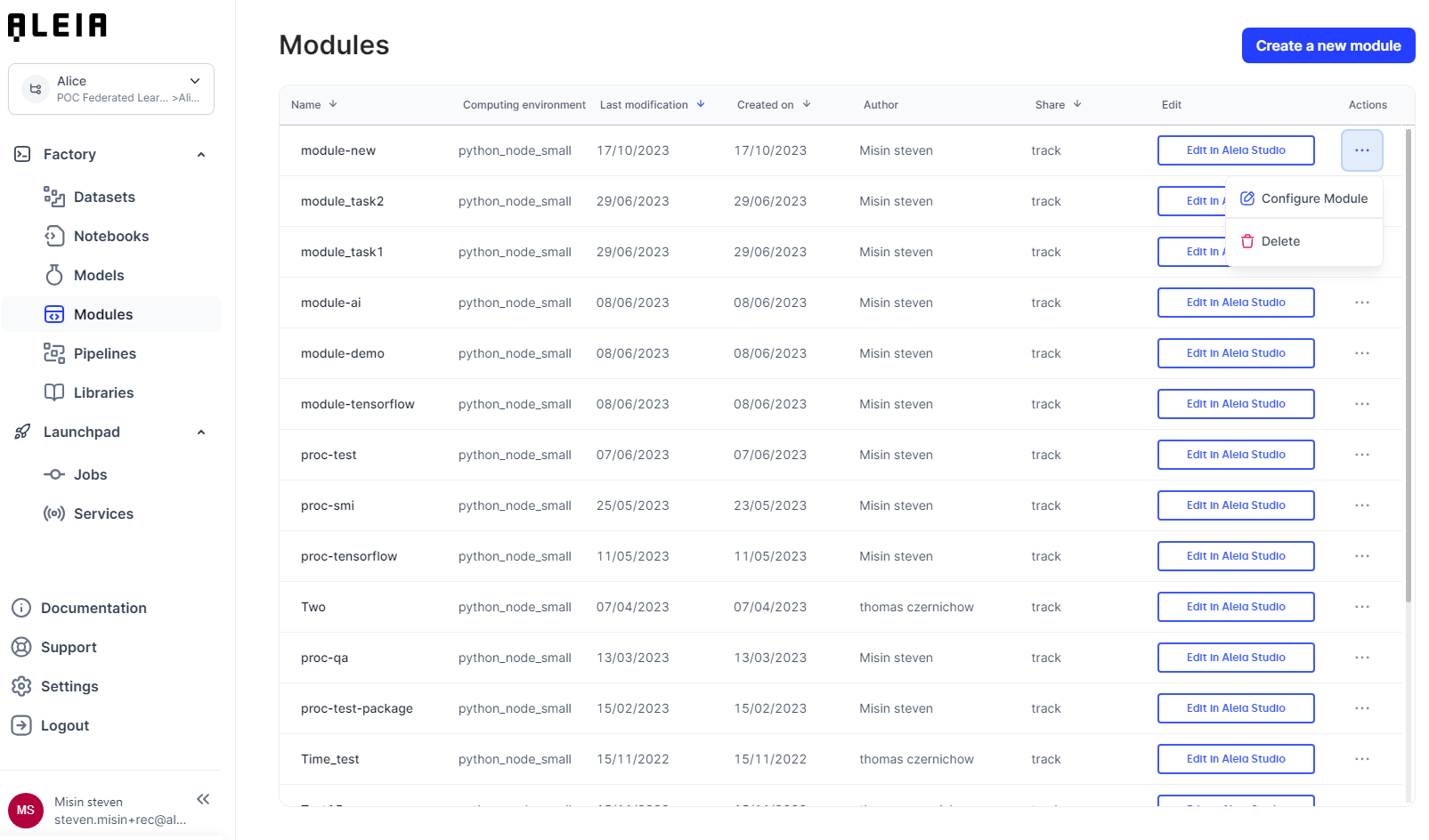
Create and edit modules
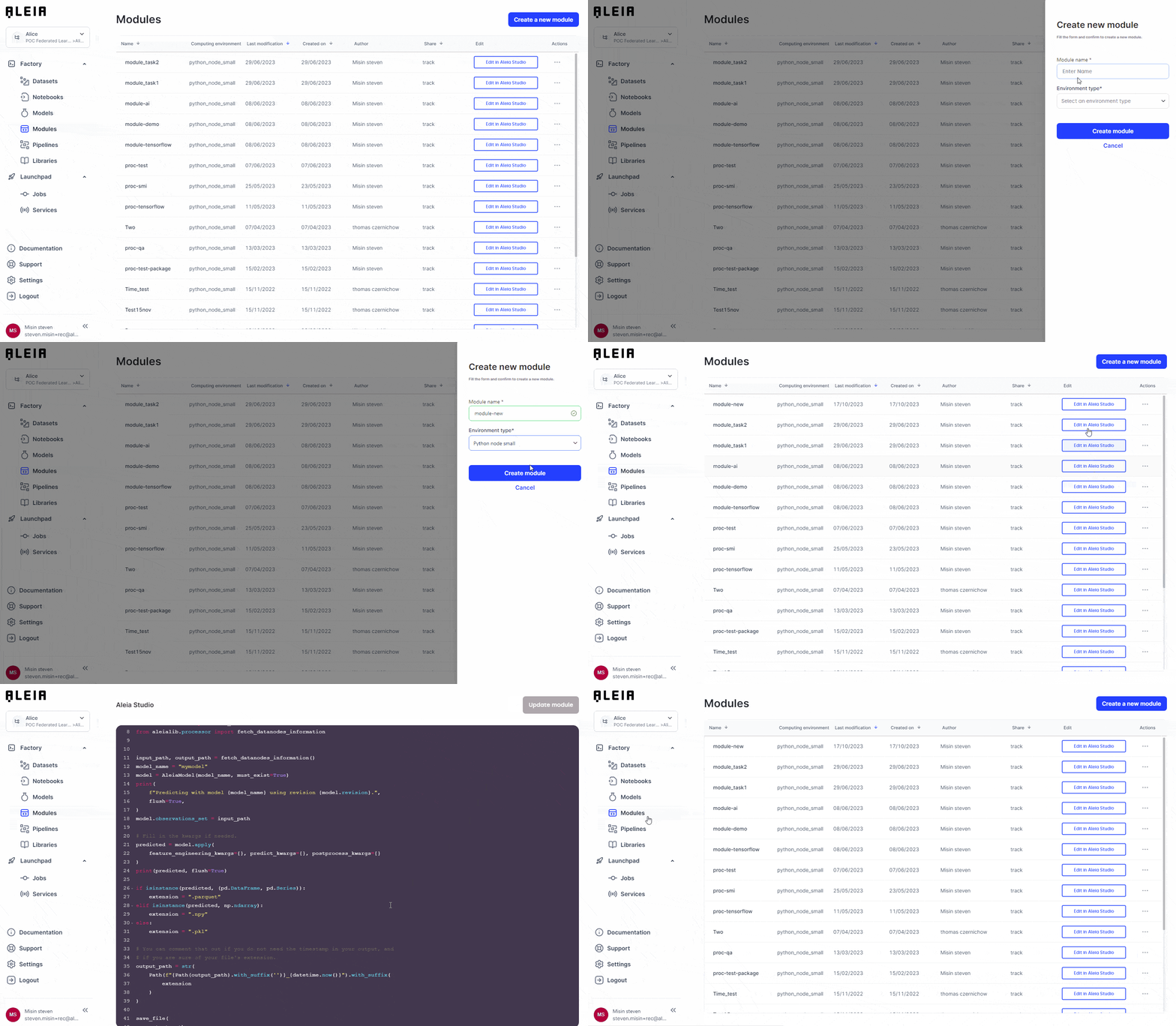
Modules can be created from notebook (see detailed section here) and from the UI. It will let you choose a name & an attached compute ressource so it will be automatically executed when used inside a pipeline (see detailed section here).
As soon a module is created, it will be made available in the module view and initialized with a default python code template to help you for your 1st steps.
Manage modules environment
We aim to provide a flexibility around resources that you could use with for modules that will be executed inside pipelines/jobs.
Each module you created can be configured to use a specific computing environment.
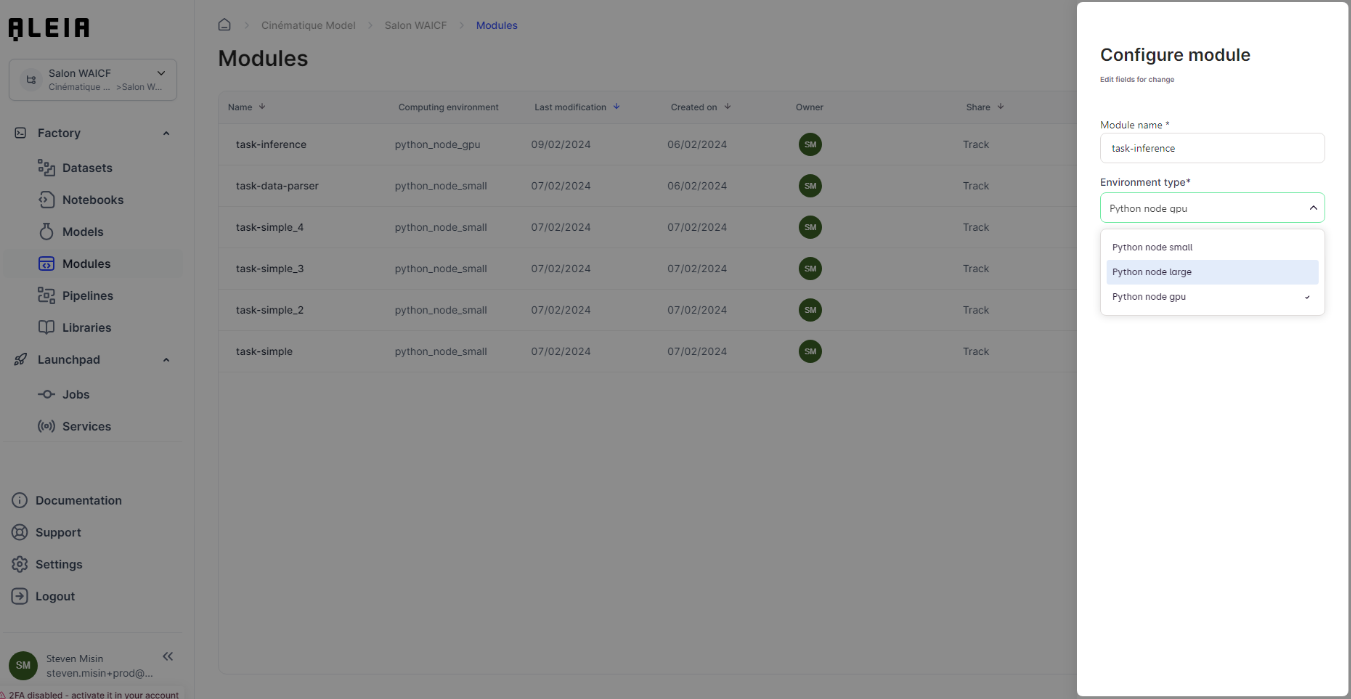
Here are the detailed computing ressources specifications for modules:
| Computing environment | CPU core | Memory (GB) | GPU Core | GPU memory (GB) |
|---|---|---|---|---|
Node small |
1 |
4 |
0 |
0 |
Node large |
4 |
16 |
0 |
0 |
Node gpu |
8 |
40 |
1 (P100) |
16 |
Use modules inside python code
Working with module through python will be possible with the aleialib and sub module s3, for which you will get all available functions using this command:
import aleialib
help(aleialib.s3)
Then, you will be able to use the dedicated import_from_s3 function, that let you import in your code, any python code.
Example:
from aleialib import s3

s3.import_from_s3('notebook/moduleTest.py')

from moduleTest import HelloWorld

my_hello_world = HelloWorld()
my_hello_world.say_hello()|
Modules code are available on this path: /applications/<module id>/<module code>.py |