Model management
Models are managed as dedicated objects inside Allonia platform. You can import or save your own model that use versioning system that will help you compare & rollback your models.
There are two types of models that you can create & manage on Allonia platform:
-
Allonia models: models created with dedicated Allonia model librarie that handle the whole model lifecycle
-
Custom models: models created in a custom way, that will still be stored & versioned on the platform
Both existing model types are available through the related section "Model" on the "Factory" menu.
Allonia models:
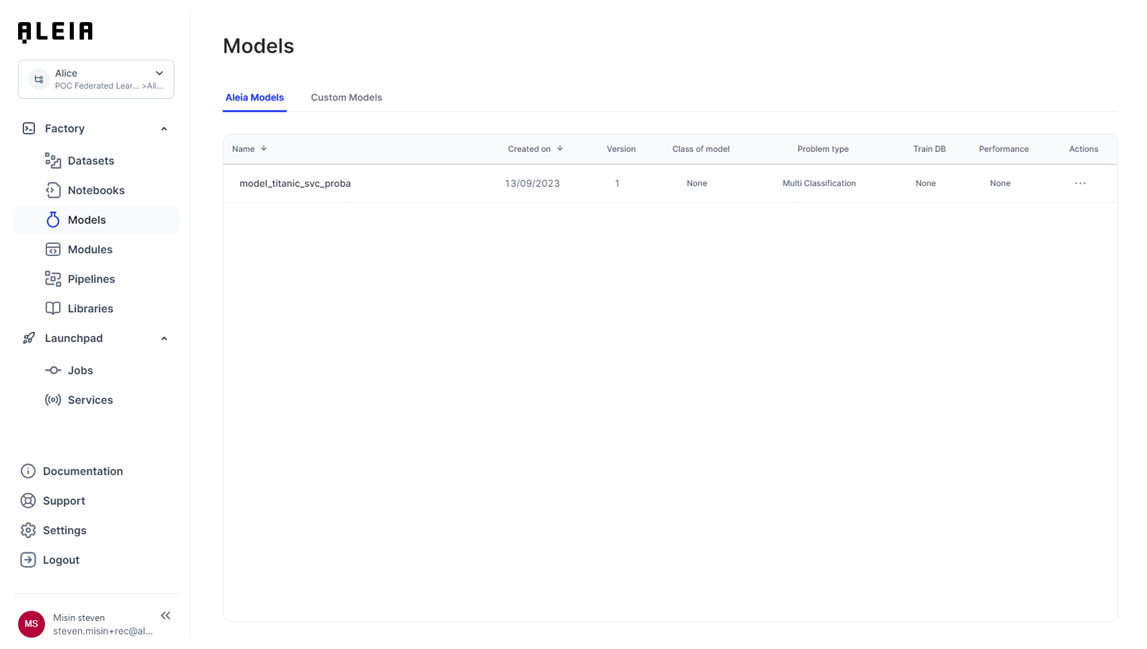
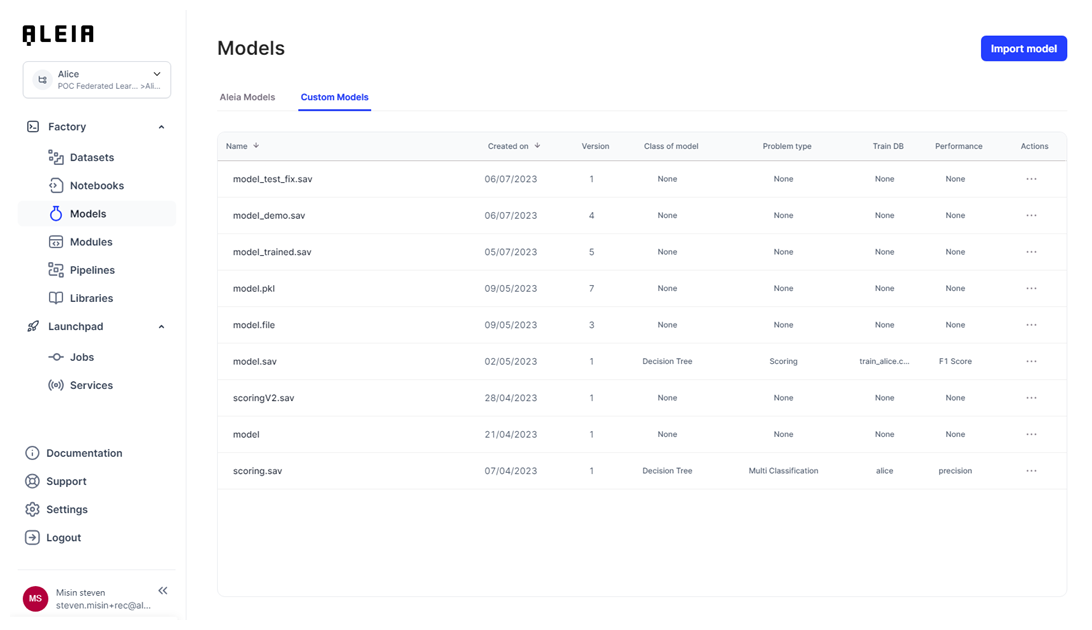
Custom models:
Allonia models
Create by AleiaModel
Aleia models can only be created with the dedicated Python librarie AleiaModel, for which you have further information & examples on the related section:
|
You can check for further information about how to use AleiaModel library in related section here. |
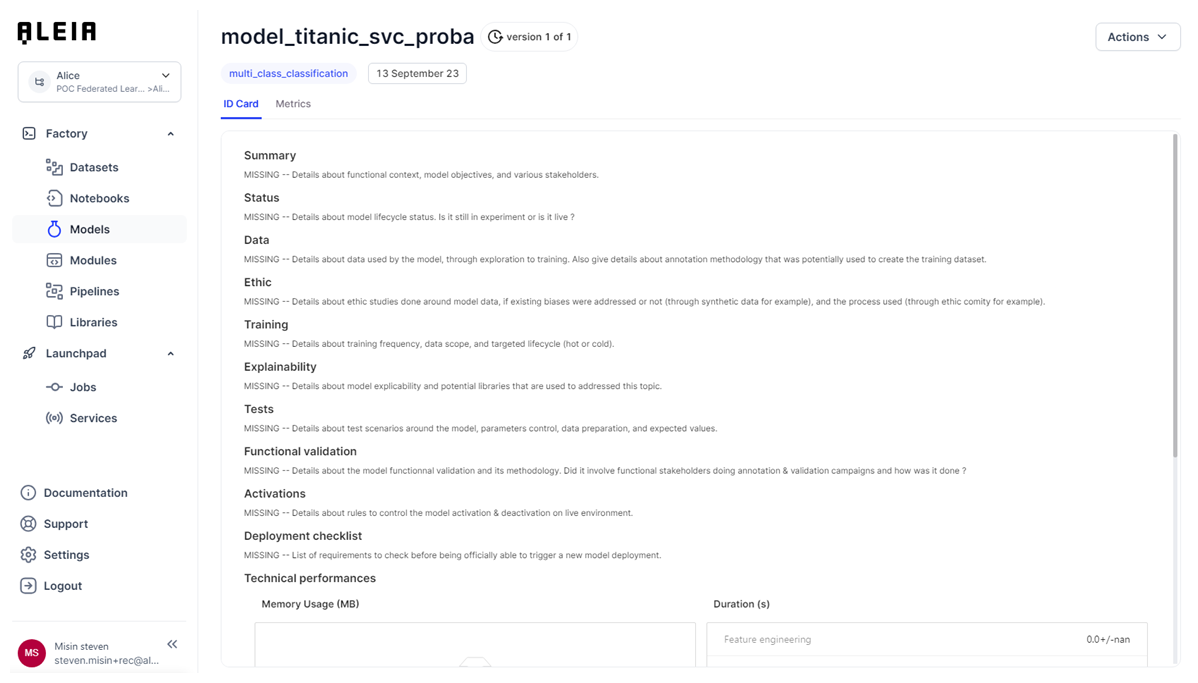
ID card
When creating an Allonia model, a lot of metadata will be made available to use, as the automated model tracking documentation we call "ID Card" on Allonia platform.
It will track auto-generated data from the model training pipeline itself, & some specific parts aims to be edit by datascientists themselves to describe properly the technical model design & biases studies done regarding the model development.
Metrics
Through the training pipeline execution of an Allonia Model, test & evaluation metrics will automatically be tracked & displayed on the dedicated "Metrics" model page.
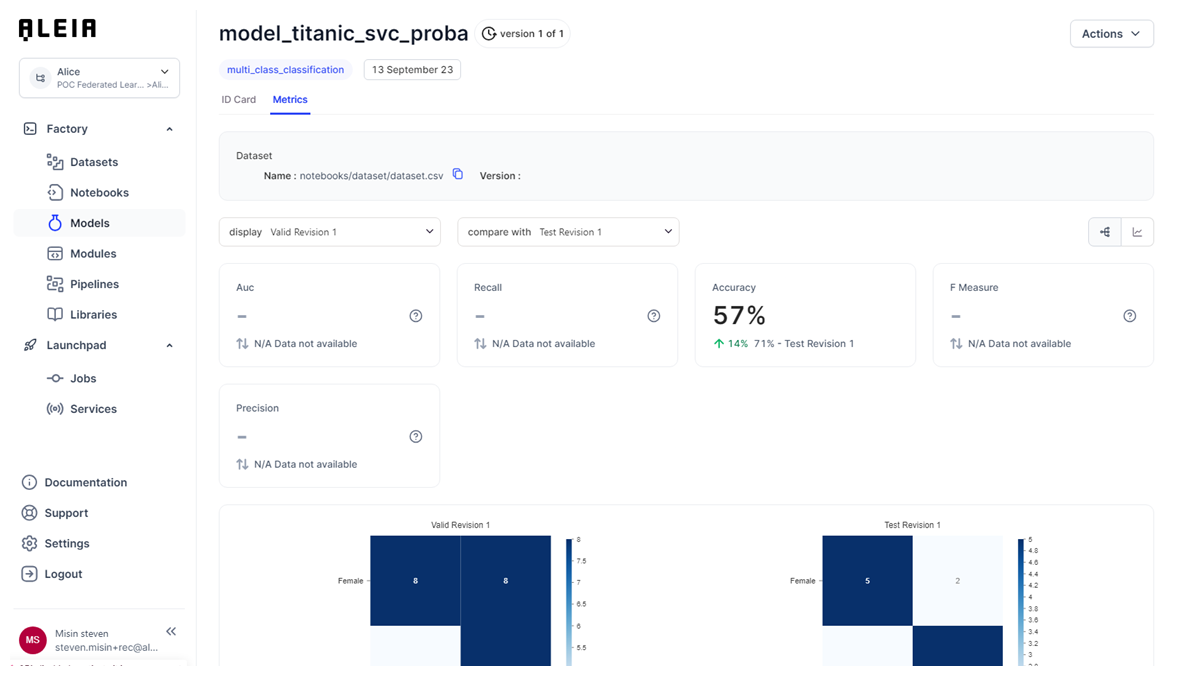
To be properly displayed on the UI, you will need to name properly your model metrics. You will still be able to manage custom metrics, but they won’t be displayed on UI.
List of metrics that will automatically be displayed on metrics page:
-
accuracy
-
cm
-
mae
-
mse
-
r2
-
rmse
-
auc
-
recall
-
f-measure
-
precision
Deployment
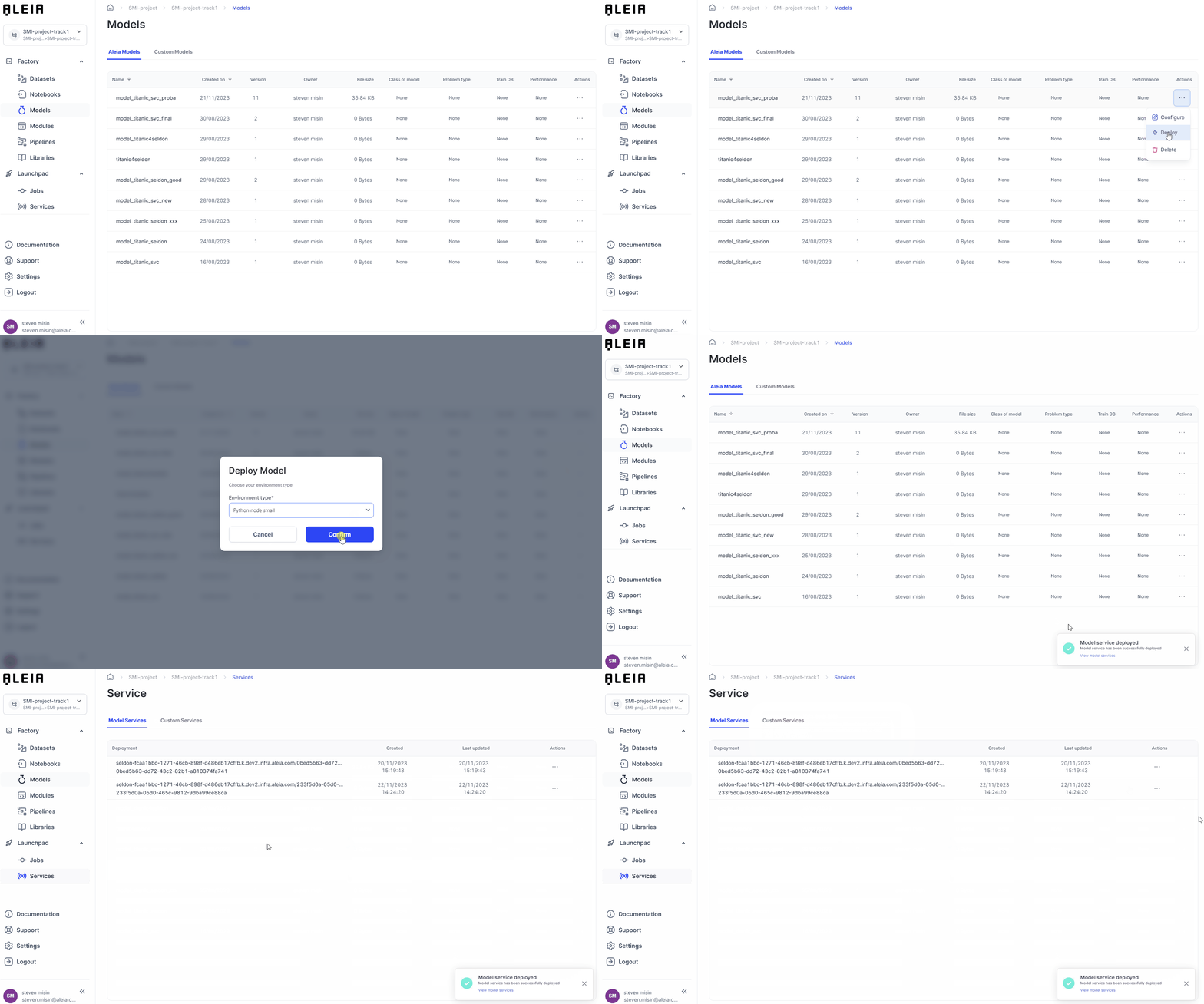
For each Allonia Model, you are able to deploy it through the dedicated "Deploy" action, available from the list view or the model detailed view.
It will let you choose a compute ressource to use, and the service will automatically expose the predict function of your model, made available in the related "Services" section here.
Custom models
Create by UI
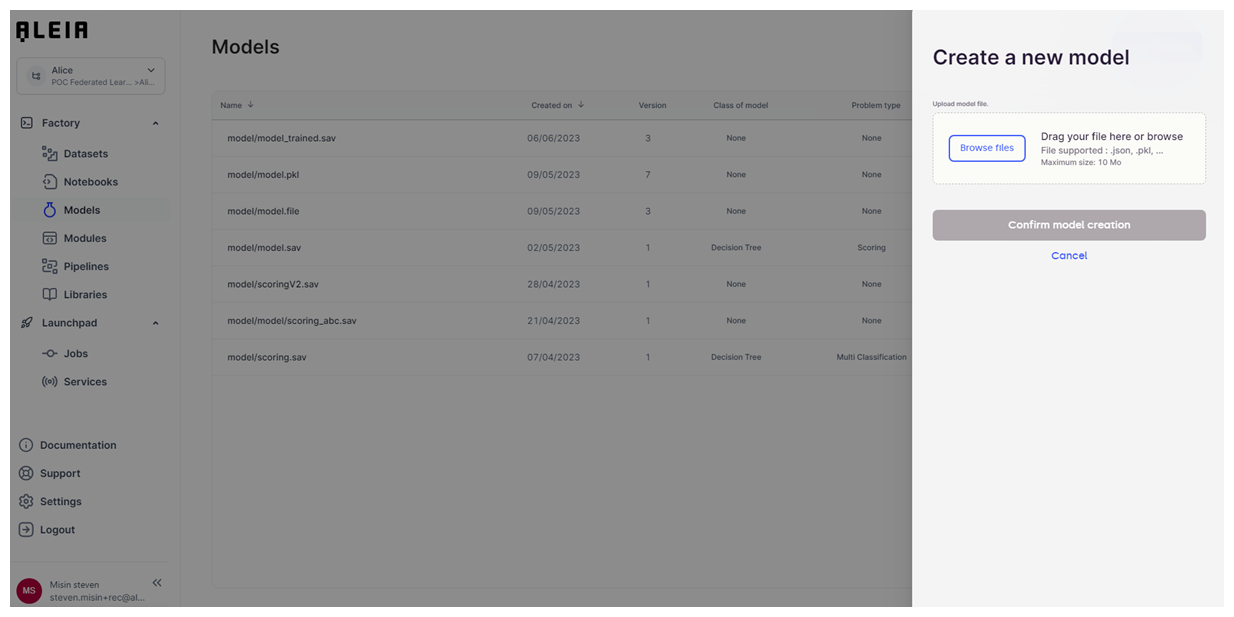
You will be able to import existing model from your local storage, and then define some key information to let everyone understand at first sight the model purpose & design:
-
Class of model
-
Problem type
-
Train DB
-
Performance
Create by code
Main cinematic to create & save models will be through aleialib functionnality. It will let you save & version your trained model as binary, to let you use simply later through jobs & user-services.
## Train the model
model = LogisticRegression()
start_train = time.time()
model.fit(X_train, y_train)
end_train = time.time()
train_duration = end_train-start_train
print("Training took {:.2f} seconds".format(train_duration))

## Save the model
model_name = 'model.pkl'

s3.save_file(model_name,model, object_type='model')
Call custom model predict function
Model saved on Allonia platform will be available to use for everyone inside project & track. You will be able to load & use it through aleialib functionnality.
# Step 3: Prediction
model_name = 'model.pkl'

trained_model = s3.load_file("model/"+model_name)

## Predictions
start_inference = time.time()
y_pred = trained_model.predict(X_test)
end_inference = time.time()
inference_duration = end_inference-start_inference
print("Inference took {:.2f} seconds".format(inference_duration))

## Postprocessing
# no postprocessing yet

## Results
print("Data to predict: ")
print(X_test)
print("Inference results: ")
print(y_pred)
Manage custom model documentation
You can track any important information about models through their dedicated documentation. Allonia provides a default template that will be available for each model created on the platform. It will give you directions about what you should track to understand and manage fully a model.
You will be able later to define your own model documentation template at project level.
